#SharePointProblems | Koskila.net

Solutions are worthless unless shared! Antti K. Koskela's Personal Professional Blog

Posts from November 2022

Blog posts published in November 2022

Posts from November 2022 (5)

  • Cover image for How to apply a .dotx template to your existing Word files (.docx)?
    NEW
    Published on
    Authors
    koskila

    How to apply a .dotx template to your existing Word files (.docx)?

    This article explains how you can apply formatting and styles from a Microsoft Office Word Document Template (.dotx) to your already existing Word Document (.docx). You might want to do this if you've got a file with plenty of content, especially if it's stuff that might break when copy-pasting (embedded media, pictures with text around them, table of contents, references - actually, anything else than just normal paragraphs). Took me a while, but this article documents how to do it.
  • Cover image for Using openssl to verify a certificate matches a private key
    Published on
    Authors
    koskila

    Using openssl to verify a certificate matches a private key

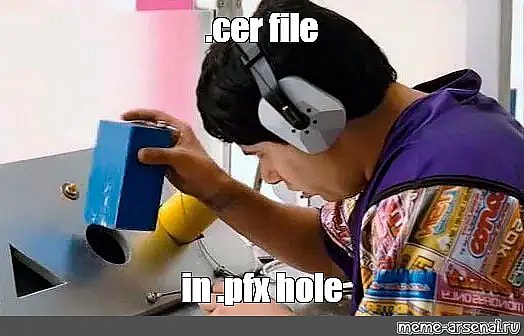
    This post explains how to verify a private key (possibly a .key file) that you somehow got your hands on, that matches a certificate file (.cer) you also somehow are in possession of. I have no idea where I got mine, but I had to figure out how to make sure a key and a certificate matched before I uploaded mine to AKS (Azure Kubernetes Service).
  • Cover image for How to avoid global.json version conflicts in Azure DevOps
    Published on
    Authors
    koskila

    How to avoid global.json version conflicts in Azure DevOps

    In Azure DevOps, you sometimes have a project that's being built with a certain .NET version. It'll require that particular SDK version, and most typically that is defined in the global.json file. However, if you also need to install a certain .NET tool, running dotnet tool install MyBuildTool will fail. And it'll fail before it actually tries to install the version of the tool you wanted! This article explains how to work around the .
  • Cover image for How to fix Azure DevOps "Variable reference is not valid. ':' was not followed by a valid variable name character. Consider using ${} to delimit the name"
    Published on
    Authors
    koskila

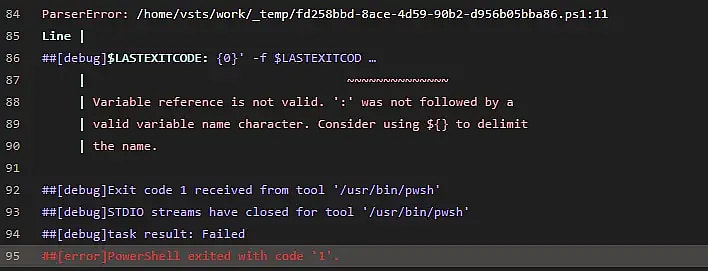
    How to fix Azure DevOps "Variable reference is not valid. ':' was not followed by a valid variable name character. Consider using ${} to delimit the name"

    This article explains one possible reason why you might run into an error like " Variable reference is not valid. ':' was not followed by a valid variable name character. Consider using $ to delimit the name " when using a PowerShell task in an Azure DevOps pipeline. But hey - at least Azure DevOps is helpful enough to point out the line that causes trouble, right? Not so fast. Confusingly, the offending line might be this: Write-Host ('##vso[task.
  • Cover image for Hacktoberfest 2022
    Published on
    Authors
    koskila

    Hacktoberfest 2022

    ... And that's a wrap! This year I had the chance, and the privilege to once again participate in the month-long celebration of open-source, Hacktoberfest . And unlike last year, I took the time to write about the experience again! And for someone like me, who doesn't really do much open-source stuff, it is a bit of an experience. And the event itself has come a long way! 2022: Hacktoberfest has matured
Whitewater Magpie Ltd.
© 2026
Static Site Generation timestamp: 2026-02-03T09:01:56Z