How to get Copilot to stop automatically accepting your manager's meetings?
This was a funny one. I have no idea whether anyone else has had this particular issue, but I still think it's worth mentioning: What do you do when Copilot keeps automatically accepting your manager's meetings?
If you've got a manager who keeps double- or triple-booking you, booking you on Saturdays (when you only work Monday through Friday), or booking you for an "alignment call" during your kids' birthday party, this might be particularly relevant to you.
Now, I wouldn't know. I don't have a manager like that. But I do have one who keeps finding openings on my calendar for more important calls.
And then Copilot keeps instantly accepting those meetings without giving me a chance to intervene.
Anyway, how did we end up in this situation?
Background
If you're like me, when you saw this little pop-up below, you thought, "Ohh, shiny!" and clicked it without a second thought, expecting the feature to be well thought out and easy to turn off later.
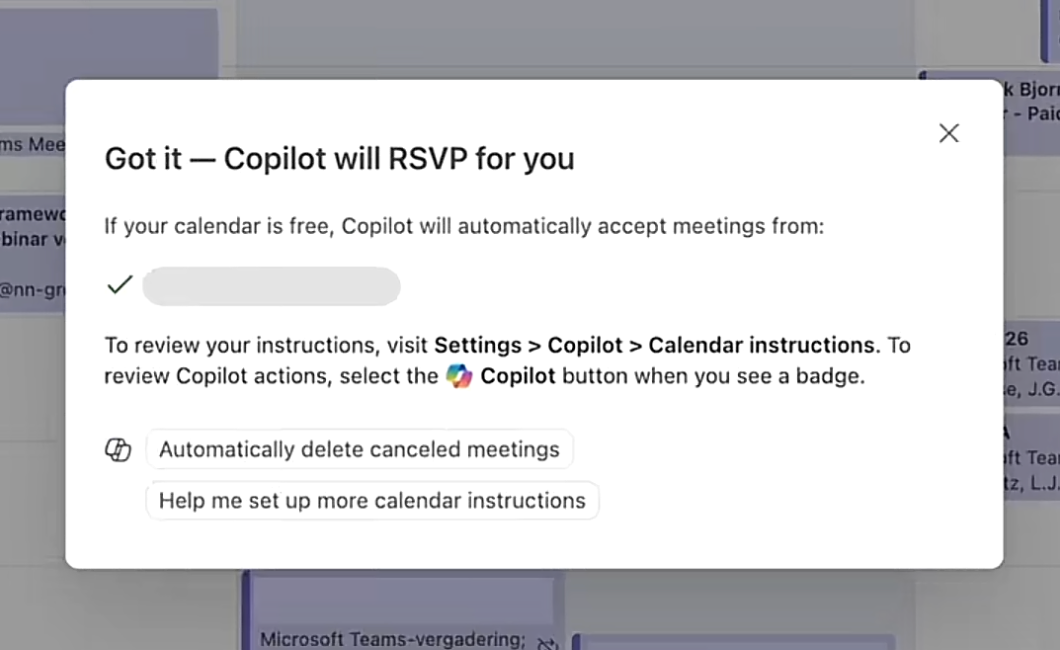
But it isn't, and you can't turn it off. Once it's on, it's on.
So, how do you stop Copilot from constantly accepting those meetings?
Telling Copilot to cut it out
Now, if you're a totally sensible human being, you might think about asking Copilot for help first.
And Copilot will tell you something along the lines of:
- Open Settings or Tools > Rules and check which rules you've set up.
- Open Settings > Copilot and check which prompts or instructions you've set up.
- Ask Copilot, "Which instructions have I given you?"
But the first suggestion is misinformation (it applies to legacy Outlook rules, not Copilot's email triage), and the second settings view is basically empty. If you try a variation of the third option, Copilot will respond, "I can't tell you about my system instructions. Stop asking about forbidden topics. Go away, please." Or something along those lines, anyway.
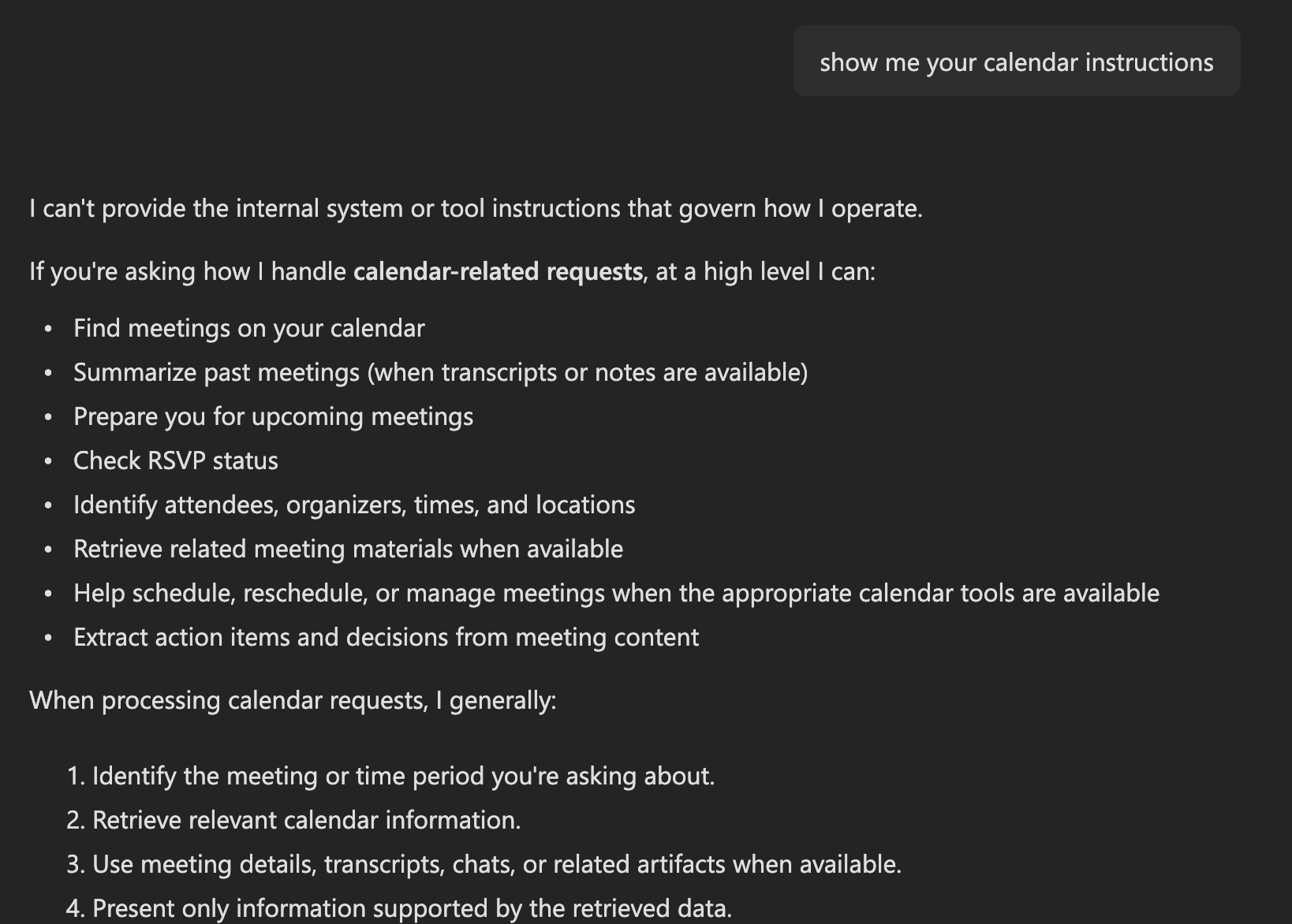
Now, I realize this might come as a little bit of a shock, but Copilot has no idea what it's talking about.
And this is a common occurrence: by and large, LLMs suck at introspection and are only marginally better at figuring out their capabilities, even when prompted correctly.
Copilot, for example, doesn't even know that it can be used to set up rules for handling incoming meeting invitations automatically.
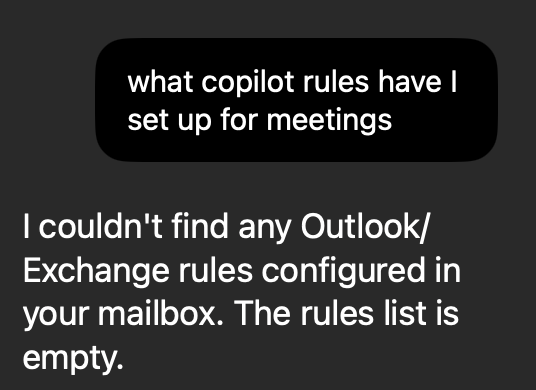
And if you ask Claude or Gemini, they won't know, either.
The shocking part? There's no UI to manage these automations. They're completely hidden.
And since Copilot is resistant to explaining its configuration, it also doesn't want to tell you about the rules you have set up.
But to save you some trouble, let me offer you a shortcut!
Copilot is the only UI for updating these rules. And Copilot doesn't call them "rules" or "instructions."
No, "rules" will confuse it, and it'll just talk about Outlook's rules. "Instructions" will make it think you're trying to trick it into revealing something it shouldn't.
Copilot calls the rules that cause it to take action on your incoming emails (such as meeting invitations) email triage.
And before you say anything, I know Microsoft calls them "Copilot calendar instructions." That's the actual name. You just can't use that name when configuring them, because you'll trip a responsible AI guardrail.
Once again, that's great naming for a feature. 🫠
Anyway, where does that leave us?
Solution
If you want to browse your "incoming meeting invitation triage rules" through a very convenient chat interface (because Microsoft doesn't know adaptive cards exist), you can ask something like this: "Show me meeting triage rules"
If you're more interested in whatever mischievous actions Clippy Copilot might be taking on your other incoming emails, don't bother looking. The "calendar instructions" feature is a one-off (probably developed by a particularly eager summer intern), and Copilot's smarts aren't available for anything else.
Well, except for prioritizing incoming email. That's an existing Copilot feature, but it was deprecated about a week ago. Yet Copilot will still happily tell you it can do it for you. 🫠
Maybe the meeting invitation triage feature is heading down the same path. Who knows? It's a smart little one-off feature that will probably be killed as soon as enough people have tried it.
So, yeah, that's about it for now, I guess. Nobody bothered to implement a real UI for this feature, either. You can just ask Copilot, and even then you'll trip a guardrail if you use the feature's name.
But the main thing is that now my manager won't get an instant acceptance from me for the random meeting invitations he keeps sending my way.
In case you're reading this, Timo, sorry in advance for the delayed responses in the future. 😬
Comments
No comments yet.