How do modify the M365 Copilot Brand Kit?
This article explains how to modify the Microsoft 365 Copilot Brand Kit. Because apparently, YES, you DO in fact need an article explaining how to do it!
Especially so since Microsoft is retiring public contributions to their documentation, because AI can update the docs so much faster than a collective of half a billion human contributors.
Does anyone else swear at their little AI helpers? I've found myself getting quite irate with every single one of them - perhaps the only one that I rarely swear at is, surprisingly, Siri... She does not try hard, so she also rarely disappoints me by being catastrophically wrong.
Anyway. The latest frustration has been with modifying the Microsoft 365 Copilot Brand Kit.
Background
"What an unnecessary article, I could just look at the documentation", you say?
If only it ever was so easy! If the docs, Copilot or common sense were of any help here, I would not bother writing this article.
But, as usual, let's take a step back and understand what the Microsoft 365 Copilot Brand Kit actually is, before we start banging our heads on it.
What the M365 Copilot Brand Kit is?
The Microsoft 365 Copilot Brand Kit is a centralized place where organizations can define and manage their brand assets and guidelines for use within Microsoft 365 Copilot. It includes elements like logos, colors, fonts, and other visual identity components, (supposedly) ensuring consistency across all Copilot interactions within the organization.
In this context, "consistency" means that SOME features of M365 Copilot CAN use the assets defined in the Brand Kit, not that ANY feature would be in any way restricted to actually following it, or even being aware of it.
Anyway - it's still a nice additional step to take when setting up your organization's brand identity within Microsoft 365 Copilot.
How to create a Microsoft 365 Copilot Brand Kit
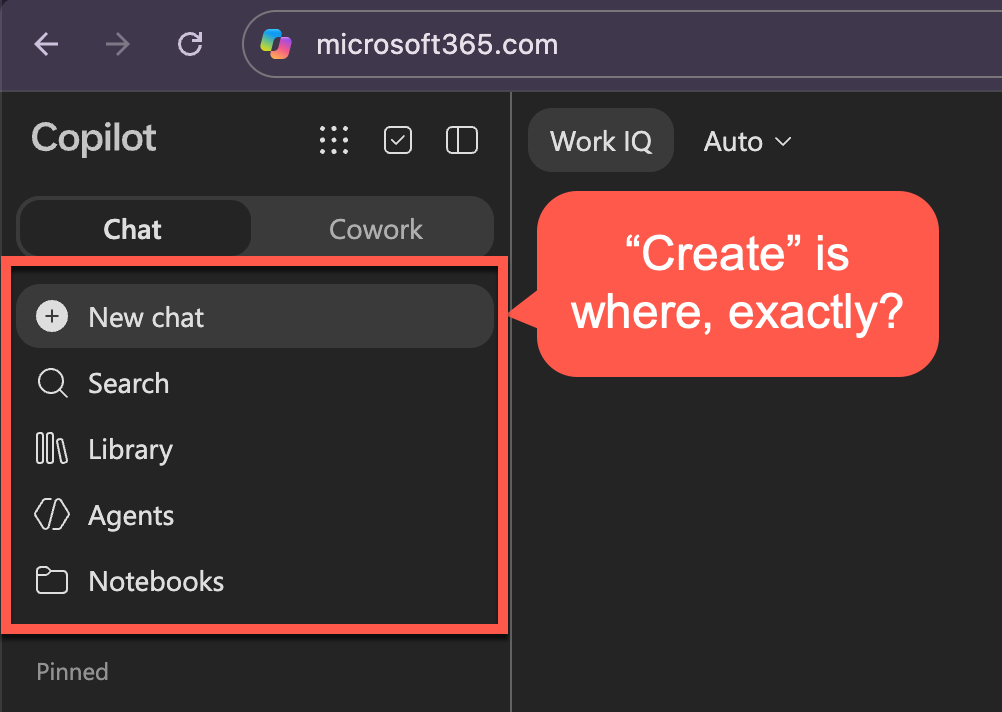
Creating a Microsoft 365 Copilot Brand Kit is well documented. Microsoft says to open Create, then choose More... > Brand kits. That Create button wasn't where the docs said it would be in the UI I was using.
Fine. You can still find it by trying to choose one in the "Create an image" option.
But modifying an existing kit? That's just inane: if you have even 1 existing kit, you can only select it. You can NOT modify it. You can NOT create a new one.
If you forgot Comic Sans MS as the placeholder font family because you're a fun fellow/gal, tough luck. Those scribbles are now part of your brand identity, and you better embrace them.
I also love the lack of self-awareness that M365 Copilot continues to exhibit - it has never had any idea how you change any of its settings, and it occasionally forgets it IS M365 Copilot itself.
And this time was no exception. Asking it to change the setting is useless:
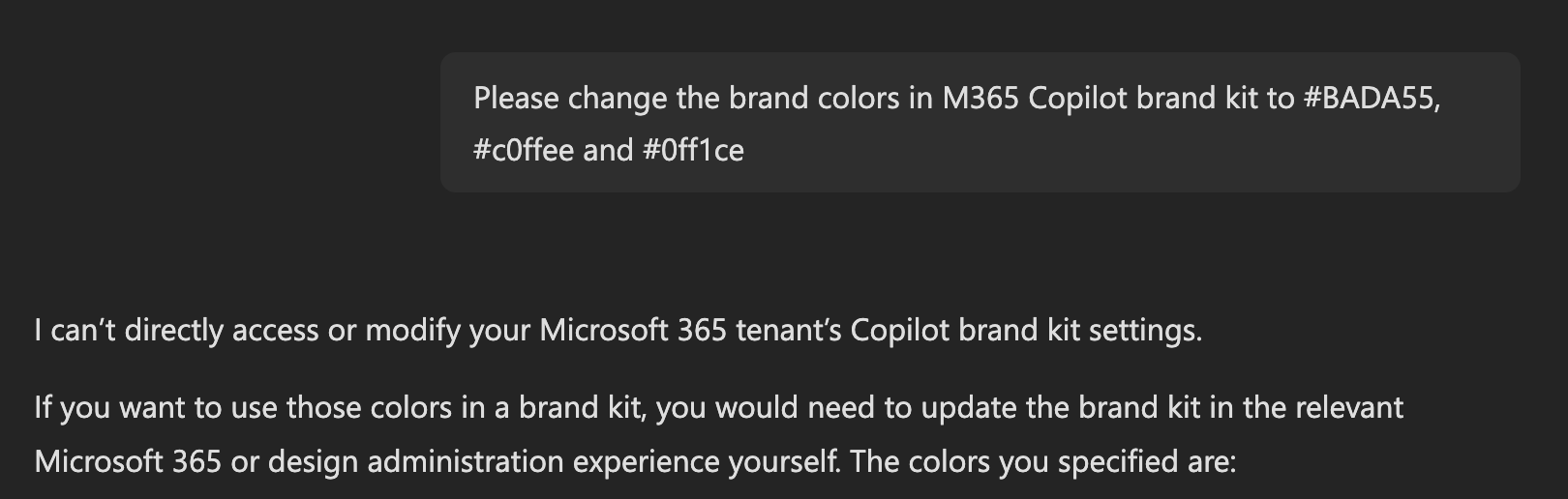
And it isn't any more helpful when you ask for directions. Just look at this:
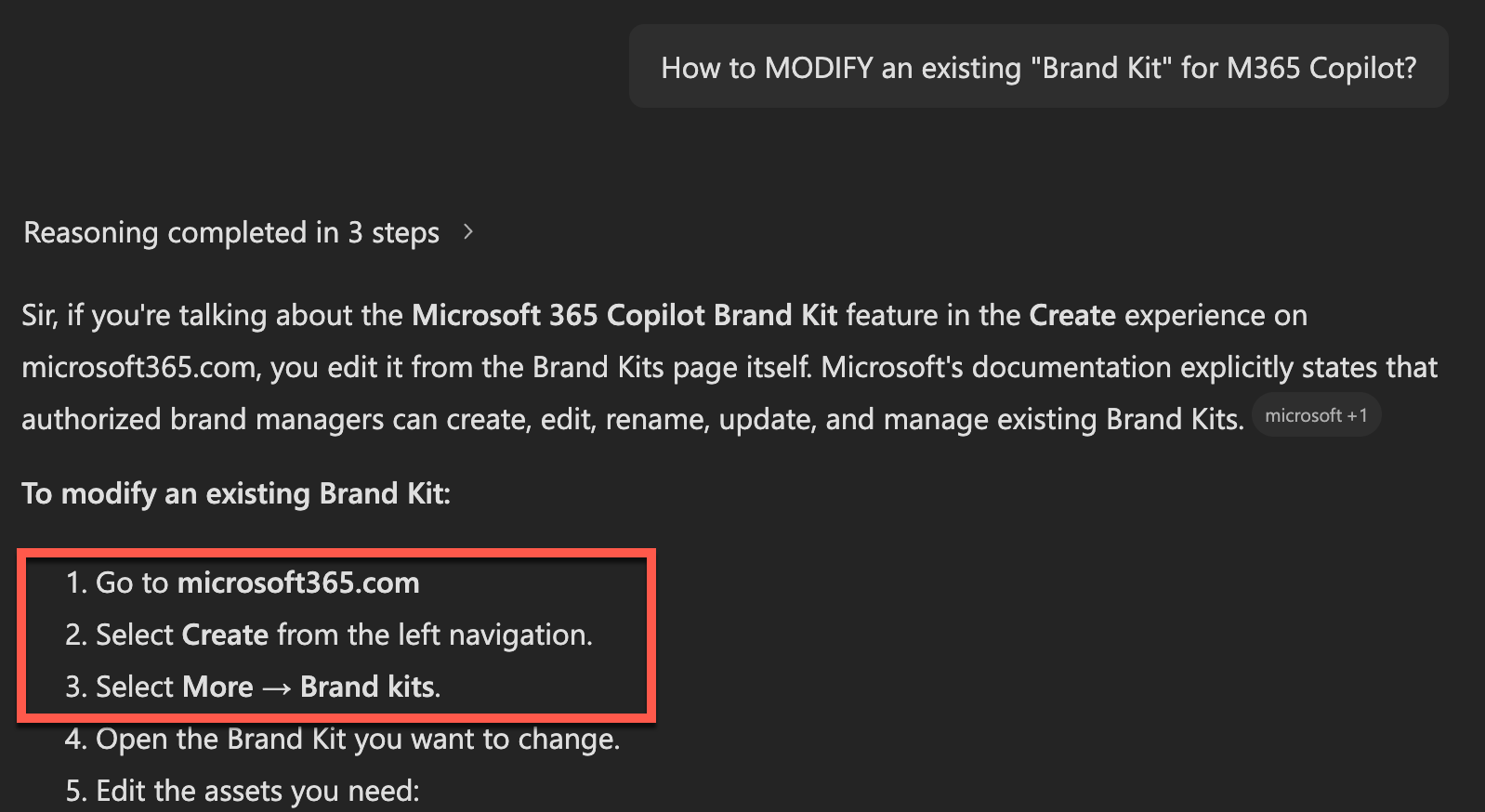
If the guidance would at least be correct it might be somewhat useful, but alas, it is not. When you try to navigate to the Create button:
Edit the kit
Okay - let's cut to the chase. How does one actually EDIT the kit if you have already created one?
Forget about finding a link in the UI. Microsoft doesn't have one anymore.
If you want to read a bit too much into it, maybe Brand Kits will be the next "forgotten feature", never to be actually finished, so nobody needs a link to it either? It's more likely, though, that whoever designed the UI just didn't think about maintaining any of the existing links or navigation paths for it.
So just navigate directly to Brand kits. That's the only way.
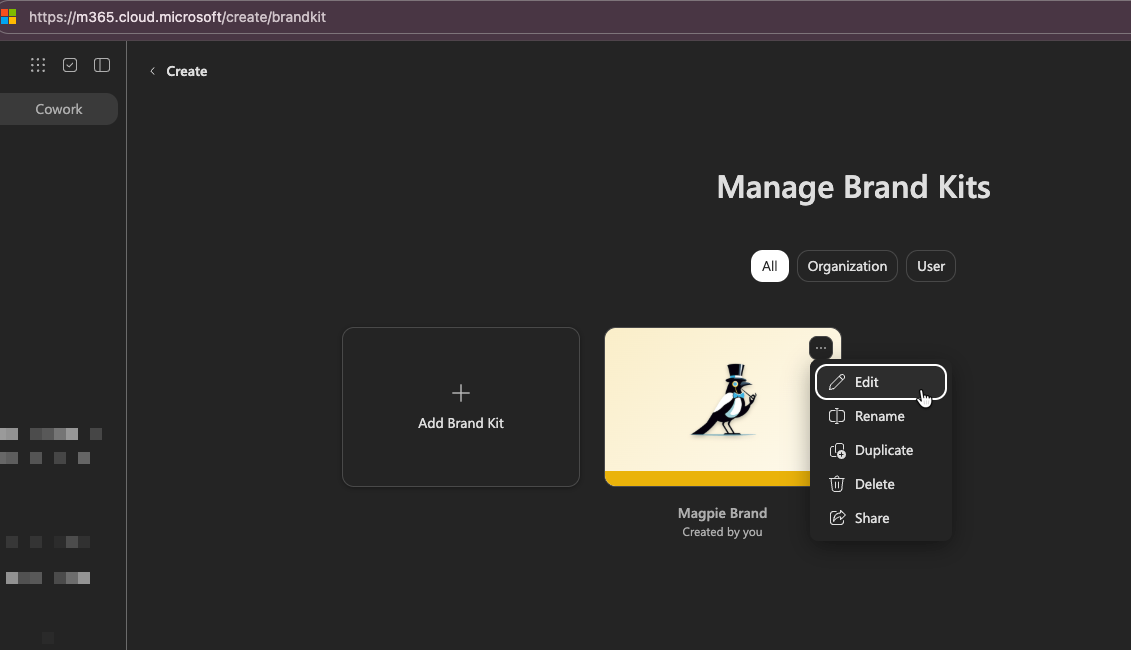
Don't see "Edit"?
Only designated brand managers can modify official kits. Ask your Microsoft 365 administrator to assign you the role (whatever that role might be, I'm a Global Admin 😁). The permission can take up to 24 hours to appear. Because of course it can.
The feature also requires a Microsoft Copilot User (Premium) license.
References
- Microsoft: Create and manage official Brand Kits in the Microsoft 365 Copilot app — the official guidance for setting up and managing Brand Kits in Microsoft 365 Copilot.
- Microsoft Tech Community: Microsoft 365 exceeds 450 million commercial paid seats — background context on the scale of the Microsoft 365 ecosystem, not a direct Brand Kit troubleshooting reference.
The official documentation is the starting point, but the UI still leaves a lot to be desired when you need to find the edit flow for an existing kit.
Comments
No comments yet.