This article explains another dumb issue I ran into. Suddenly - without a warning - a Blazor app running on an Azure App Service starts becoming unresponsive. And this happens without any changes by you.
How do we start investigating this? Where do we go from here? Why are we still here, just to suffer?
The answer is YES, we are still here, just to suffer. And as part of YOUR suffering, you get to read this article, which is a step-by-step guide to fixing this issue.
So, let's get started.
Problem
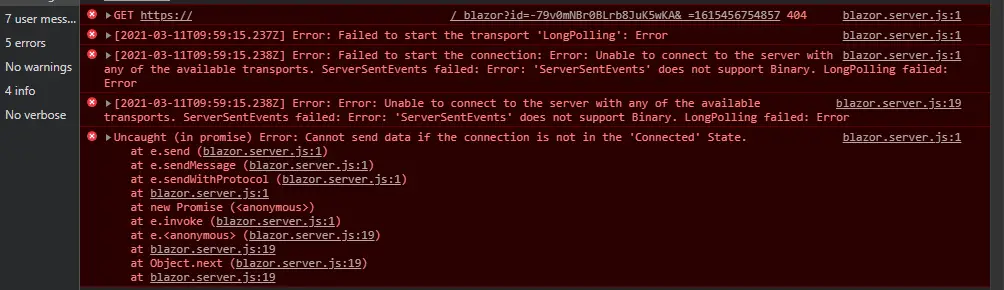
The problem is the UI becomes unresponsive. When opening your developer tools, the console is full of ugly stuff like this:
If taking a closer look at the network tab, you see something like this:
"No Connection with that ID"
And in case the screenshot isn't that clear, the error's look like this:
Error: Failed to start the transport 'LongPolling': Error
And finally:
Error: Error: Unable to connect to the server with any of the available transports. ServerSentEvents failed: Error: 'ServerSentEvents' does not support Binary. LongPolling failed: Error.
Man, that's a lot of errors! And even an "Error Error", which is probably worse.
But how do you fix this?
Reason
First - why is this happening?
The reason is that the WebSockets are disabled and your Blazor Server version doesn't know what to do now. It can't connect to the backend and with Blazor Server, the UI is basically just a remote control for the backend. If the connection is lost, the UI becomes unresponsive and you get all these errors.
How did they get disabled? No idea. Just some Azure things, I guess - or a deployment pipeline doing fun things.
But the point is, they are disabled, and that's why you have this issue.
Solution
Okay, so a few steps to take, and there's a decent chance you'll fix this.
Open Azure Portal and navigate to your web app
This is the app where your Blazor Server is running. You can find it by searching for "App Services" and then selecting your app from the list.
Open "General Settings"
This is under Settings > Configuration > General settings
You can see a screenshot below.
Enable "Web sockets"
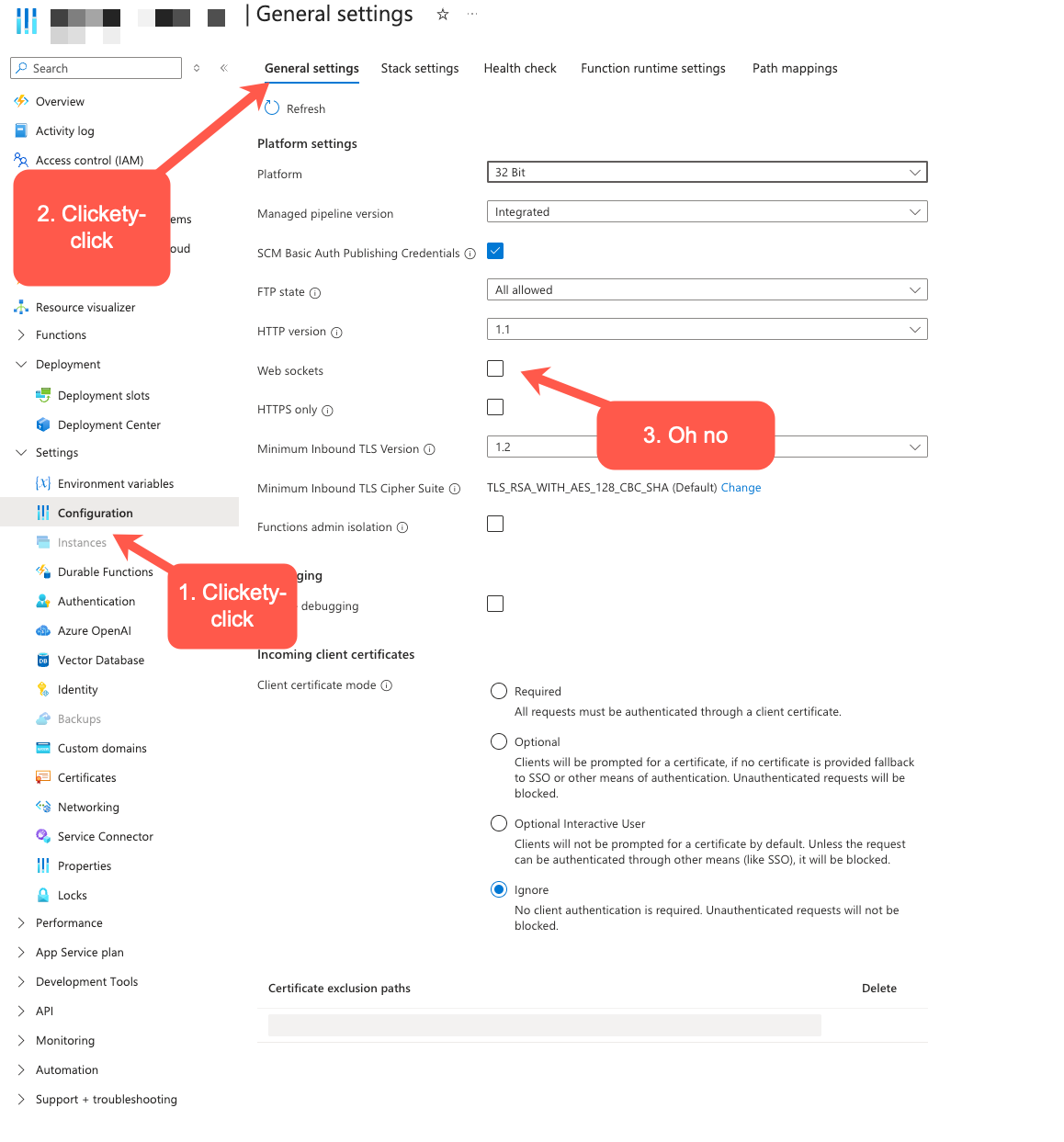
How to enable Web Sockets on Azure App Service Make sure these right are ON, and not, for whatever reason, off.
This action SHOULD restart the app - but if the issue keeps happening, just feel free to restart the app yourself.
Monitor and correct
This step should look something like below:
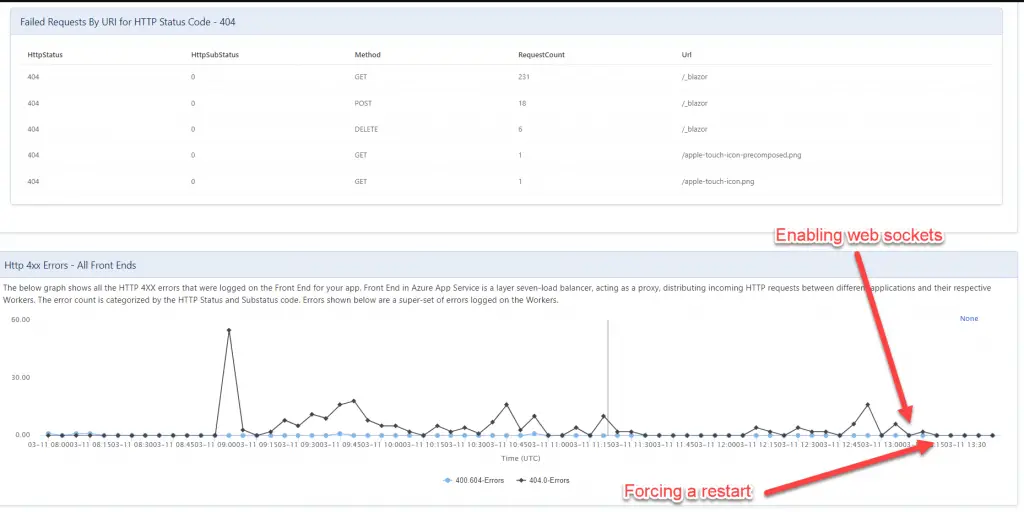
HTTP 4xx errors
And that's all for today! Dumb fixes to dumb issues.
Comments
No comments yet.